04Jun

What is a Link Bait ? Here is Everything you need to know about Link Baiting.

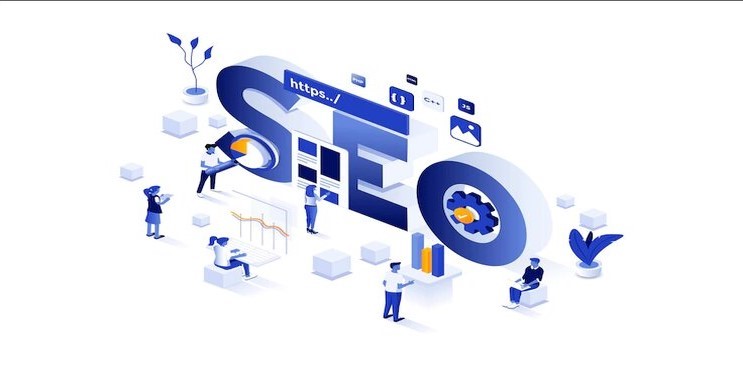
SEO is a constantly changing dynamic field with various practices for promoting products, content, web resources, and services. For Search optimization to be effective, specialists want an exact level of SEO expertise to spot the most effective techniques.

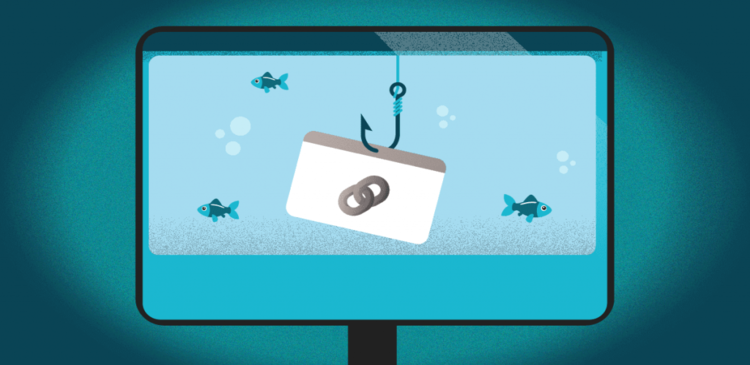
Link Baiting has emerged as a well-organized technique for promoting content. With this system, the aim is to come up with massive amounts of links and traffic by making content that is helpful and extremely shareable. Let’s now understand what it is and some of its examples.

What is Link Bait?

Link Bait will provide valuable content on your website so that alternative websites can naturally link or reference it without you even having to ask. Linkable content is often something from in-depth scientific research, to an evergreen guide, to a very popular video. More precisely, you can create interesting or exciting contents that are willingly shared by strangers on their web platforms like social networks, sites or blogs.

Posts qualified for Link Baiting are more than funny memes that very quickly spread online out of their sheer wittiness. Having well-researched and distinctive articles will present your website as a credible information source making certain that you just have the trendiest information that is worth citing in a different way of making a Link Bait worthy resource.

Advantages of Link Bait.

Indeed, link bait is not a simple procedure. Why opt for it over a lot of easier techniques that are easier to apply? Well, as compared to several different SEO ways, link baiting is more useful and the following are some of its examples:

  • Makes our web resources more identifiable.                                          

As backlinks to our website accumulate, it gains more popularity even beyond the target audience.

  • It provides a rapid traffic boost.

It is truly helpful and the most relevant content is quickly shared on social networks and blogs.

  • It establishes very helpful business connections.

It is very simple, the more the backlinks a resource collects or gathers, the higher the position it occupies in the search results. Now, it becomes simple and easy for potential business partners to learn and understand you. They will reach out and you form a new business connection.

  • Reinforces the brand image online.

Once a different trusted site or influencers cite you, this incorporates a positive impact on your general credibility within the web space.

Although this SEO technique needs resources, it is hard to deny its potential.

Obviously, given today’s plentifulness of net resources, it is not very easy to attract many users. Prompting them to share a link to your website is even tougher. Nonetheless, Correct or proper link baiting can quickly generate traffic to your website and create it recognizable within the web space. One of the most effective SEO techniques is link baiting can push almost every web resource to the top of the search results.


Follow TGI Technologies, One of the best SEO Company in Kerala to get updated about the new informations and news regarding the SEO and Digital Marketing.


01Jun

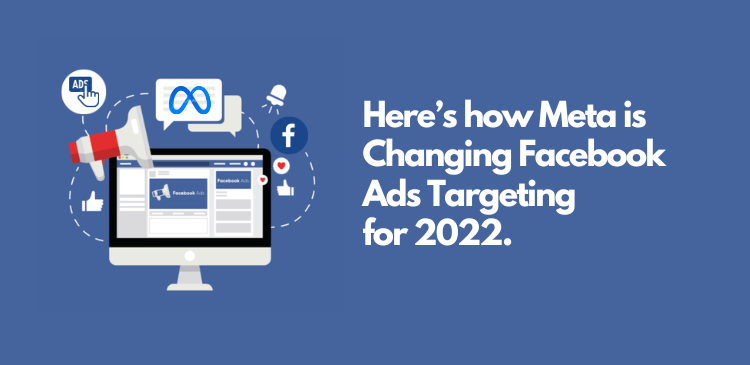
Here’s how Meta is Changing Facebook Ads Targeting for 2022.

We believe that the most effective advertising experiences are personalized. It allows the people to find the best products and services from small businesses which may not have the ability to market them on broadcast televisions or other forms of media. It also enables social causes, and non-profit organizations to reach more people to likely support and benefit from them, like connecting people to raise funds for charitable causes or trust. In the meantime, we also wanted to better match people’s increasing expectations on how the advertisers may reach out to them on various platforms and address feedback from Civil rights specialists or experts, policymakers, and other stakeholders on the importance of preventing the advertisers from abusing the targeting choices they make available.

As a part of these ongoing efforts, beginning January 19, 2022, FACEBOOK will be removing some very detailed targeting choices or options because they relate to the topics that people may recognize as sensitive, like targeting choices refereeing causes, organizations, or public figures that relates race, health, religion, political affiliation or sexual orientation.

The changes in Facebook Ads Targeting.

 On January 19 Facebook has taken away the targeting options or choices in four main categories or classes along with niche segments that are seldom used. And they are:

  • Health Causes like “Cancer Awareness”, etc.
  • Religious Groups and Practices like the “Catholic Church”
  • Sexual Orientations like “LGBT culture”, etc.
  • Political beliefs, social causes, issues, organizations, and figures.

The Meta also announced its upcoming changes which mention that the campaign will keep delivering to the impacted audience or targets into late March 2022.

Moreover, the changes won’t propagate through the Metasystem. The Ad sets created before January 19, allowed us to make campaign–level edits, like campaign names or budget amounts, while not impacting the targeting till March 17.

However, the edits at the Ad set level were able to trigger the audience changes.

Likewise, if the Ad set is paused before March 17, once it’s reactivated, the new targeting changes can kick in. After March 17, it will not be possible to edit the previous campaigns that leverage deprecated targeting settings. For to make the possible changes at the campaign, ad set o,r Ad level, you would possibly have to revise the detailed targeting settings before March 17.

Will there be any larger impact For Social Advertisers?

 It can be fascinating to ascertain if other social media platforms will imitate and additionally change their targeting capabilities. So far, Meta has a lot of pressure than other alternative platforms.

Without reviewing and practically also reducing their targeting parallelism across certain sensitive criteria, other social platforms also draw risk at the same scrutiny as has been directed at Facebook.

We might expect that within the near future, they too can reduce their targeting aloof from personal characteristics.

Meta has not indicated whether or not it envisions any further targeting changes or if this will be the only tweak in the foreseeable future.

Still, we will be able to take comfort that Meta is responding to the mounting vocal feedback and hope that it will continue to take note of further developments.

While this has come up first within the context of social media, programmatic and search advertising providers has to be very careful.

Historically, these vehicles have created nice use of the information that permits a high level of targeting preciseness and provides parallel insights using demographic, socioeconomic, and alternative parameters.

If these players do not directly address the sensitivity of the parallel ad targeting and reporting in taking into consideration of the above mention development, they will be forced to – as shortly as implications from cookie deprecation gain momentum.

From Social problems, thanks to identification to the larger trend of information privacy issues, advertising platforms and advertisers alike got to be ready to tackle sensitive topics.


While the choice to get rid of these options wasn’t simple, we tend to feel assured that we can evolve our Ads system to fulfill the requirements of everybody we tend to serve, whereas operating diligently to continue supporting is one of the simplest things regarding Facebook – helping people connect with and see the companies and organizations they care about.

Follow TGI Technologies, One of the best Digital marketing company in Kerala to get updated about the new informations and news regarding the digital world.

10May

WhatsApp is rolling out some New Features!

Whatsapp is rolling out a new major update and some new features are coming on board for all whatsapp Users.

Now the Admins can delete the Messages.

Gone are the days of WhatsApp admins looking at members’ toughness as helpless. Whatsapp is changing from the old style to the new style where the admins get the power to delete messy messages.

The maximum number of group members can be doubled. With the new update, you can send an entire movie through WhatsApp if needed.

According to the Users needs the Makers are adding new features and making it available in the coming weeks at various stages.

For every single message, the users can use emoji reactions for easy communication is one the latest update WhatsApp is providing. Apart from this, these are the latest updates announced by WhatsApp.

  • The limitation of 256 members in a group will be increased to 512 members. This is to help Businesses and various organisations, because of the limitation of 256 people the same organisation had to form multiple groups.
  • With the help of the new update, If a group member posts any unwanted message the admins can delete it by long pressing the message.
  • Files upto 2 GB in size can be sent as currently 100 MB files can only be sent. With the rising limit of Files size an entire movie can be shared with others. WhatsApp also strongly protests against the misuse of Telegram, Messenger and Movie Piracy which can share large files.
  • Up to 32 people can be added to a voice call at a time, where as currently only 8 people can be added. For more than 32 people voice call, we can use the existing group system itself.

There is no need of worrying if the new updates are working even after the updating WhatsApp. In a few weeks it will reach all the lines.

Emoji Reaction Feature of WhatsApp.

Emoji reactions help the users to react individually to each message with an emoji. This feature is already available on Instagram, Facebook and Messenger Applications.

Nowadays Emoji reactions are gaining more popularity among the general public. It has become an alternative way to text-based replies primarily a nonverbal way of responding to a text message. The main benefit of using it is that it can convey emotions for a specific message.

  1. Way to get Emoji Reaction in WhatsApp.

First of all, we need to download or update the most recent version of the WhatsApp mobile application from the Google Play Store if it’s Android or from Apple App Store if it’s IOS. Even after updating the application still, you don’t see Emoji reactions on WhatsApp, it’s owing to the package update delivery is rolling out server-side. It might take only a few weeks for everyone to get this feature available.

  1. Steps to best know before reacting to a message on WhatsApp Mobile.

  • Update the most recent version of WhatsApp via google play Store or Apple App Store
  • Double-tap or Long-press on a message.
  • Six totally different emojis will appear on the screen.
  • Select from one of the reactions and click on it.
  • In the form of a notification, the emoji reaction will be sent to the user.
  • Exactly like on Instagram, The reactions will be displayed below the messages.
  1. Steps to best know before reacting to a message on WhatsApp Desktop.

  • Download the most recent version of the WhatsApp application.
  • Open up a chat.
  • Move the mouse over messages sent by others and check if an emoji icon appears near the messages.
  • Select one of the reactions from the available options and click on it.
  • In the form of a notification, the emoji reaction will be sent to the user.
  • Exactly like on Instagram, The reactions will be displayed below the messages.
  1. The six different Emoji Reactions offered by WhatsApp:

  • Thumbs Up.
  • Heart.
  • Face with tears of Joy.
  • Face with mouth Open.
  • Crying Face.
  • Person with folded hands.

WhatsApp also promised to that sooner or later the support for all the emojis and skin tones that we can typically use in messages.

  1. Platforms which offer Emoji Reactions.

  • Instagram, Facebook and Messenger are the Meta-owned applications and services that have had this feature for a while now. In these applications, the users can simply long-press or double press or simply move their mouse pointer on the message or comment to open the emoji reaction popup.
  • Zoom — allows the users to send meeting reactions. This video conferencing platform offers two options – one is the standard emojis as quick action and the other one is where the users can select any emoji as the meeting reaction.
  • Microsoft Teams – also provides the feature of Emoji reaction for teams meetings. It only offers quick reactions where the users need to hover their mouse over the message and select from the available options.
  • Google Messages — Google also recently added this feature in the Messages application and allows the user to respond to a text message by means of a standard set of emojis.
  • iMessage – Apple was the first to introduce the idea of Emoji Reactions. This quick messaging application allows the users to react to a text message using emojis by a simple long-press or double-tapping on the message.
  • Google also recently announced that the Emoji Reactions will be coming to YouTube, Docs and Meet.

Since this feature is currently in its introduction stage, it might not be available to all users. There are more than two billion users around the world who are currently using WhatsApp and it’s normal that this feature takes a few days before being accessible to all the users.

28Apr

GOOGLE TESTING ON TWO NEW FEATURED SNIPPETS: ‘FROM THE WEB’ AND ‘OTHER SITES SAY’

Google is testing two new types of Featured Snippets. Both these snippets will show the users short answers to their search query from one or more sources not just a single source, unlike most snippets. Featured snippets are highlighted pieces of text that come up at the top of a Google search results page at Position 0.

As one of the best digital marketing and SEO company in Kerala, here is an article explaining more about featured snippets and the Google tests on two new featured snippets ‘From The Web’ and ‘Other Sites Say’.

Featured snippets provide users with quick answers to their search queries. They are more likely to appear when users enter informational search queries. They are displayed above organic search results, only showing the relevant section of a website as a list, table, or text, accompanied by an image or video. The featured snippet box is more predominately placed than the search results thus allowing showcased websites to expect higher click rates and increased traffic. Snippets contain relevant information from a website that matches the user’s search query.

A featured snippet consists of a number of content elements from the landing page, ranked as follows:

  • Text snippet
  • List snippet
  • Table snippet
  • Video snippet

Featured snippets usually contain an image, though the image may not come from the same source as the content selection. Sometimes, they may display video content. Google also displays the title and URL of the website in the snippet, thus providing users with more knowledge about the source domain. With the snippet being placed in Position 0, the corresponding URL of the website experiences an increase in organic traffic.

 ‘From The Web’ and ‘Other Sites Say’ are the two new additions to Google’s featured snippets.

  • From The Web- Usually in normal cases, snippets contain content and link only to a certain website. But, in this case, the featured snippet features to text and a link from one website. Google also shows brief excerpts from two or three websites linking each source separately as well as including the site’s favicon.
  • Other Sites Say- In this second variation, Google groups at least three different sites similar to the From The Web snippet under the heading ‘Other Sites Say’.

Optimizing for featured snippets will help in increasing website visibility in the corresponding search results. Though users may receive answers to simple search queries through the featured snippets, for more complex information, the snippet provides only an excerpt, list, or table pertaining to the information so the users have to click on the website to see all the information.

In conclusion, owning a featured snippet can be beneficial, as it helps increase CTR, adds credibility to your website, and improves brand awareness. If a website is already ranked in featured snippets, it can face a drop in traffic. On the other hand, if you do not have a space on the featured snippet, it provides an opportunity for you to optimize your site and drive traffic towards your site.


18Apr

WordPress All in One SEO Integrates Microsoft Clarity

The All in One SEO for WordPress is the original WordPress SEO plugin that started in 2007. Over three million smart website owners use AISEO to properly set up their WordPress SEO so that their website can gain higher ranks in search engines.

The AISEO is the most comprehensive WordPress SEO plugin and marketing toolkit that can be used to improve a website’s SEO rankings and uncover new SEO growth opportunities within minutes. AISEO’S WordPress SEO plugin features are highly optimized for Google and other popular search engine algorithms because they follow the most up-to-date SEO standards and practices.

The AISEO plugin integrates Microsoft Clarity Behavior Analytics which gives publishers insights for improving conversions and diagnosing site issues.

The benefits of the AISEO plugin are given below:

  • Understanding user intent
  • Optimizing content and web designs
  • Reducing bounce rates
  • Improving conversion rates
  • Optimizing your user experience

The AIO SEO plugin is considered one of the best WordPress plugins because of its unique features. They are given below:

  • TruSEO On-Page Analysis
  • Rich Snippets Schema
  • Local SEO
  • Smart XML Sitemaps
  • Video SEO sitemaps
  • Social Media Integration
  • Link Assistant
  • WooCommerce SEO
  • SEO Audit Checklist
  • Redirection Manager
  • Google News Sitemaps
  • Robots.txt editor

As an SEO and software development and digital marketing company based in Kochi, Kerala here is some information based on the AIO SEO plugin and the advantages that accompany it when integrated with the analytics program Microsoft Clarity.

ABOUT MICROSOFT CLARITY

Clarity is an analytics program that focuses on user behavior. Data visualization is the most important feature of Microsoft Clarity. Its top features include- heat maps, session recordings, and insights. Clarity’s behavior analytics offer insights into the actions users take on a particular site. It finds bugs, tests ideas, and is capable of tracking success with the help of heatmaps, session recordings, and ML-based insights.

  1. Heat Maps: These show how users engage with web pages, what they click, and how far they scroll on a page.
  2. Session Recordings: This shows how site visitors click and navigate through the site and the points where you may lose them. It also helps to identify friction points that can be fixed to improve user experience.
  3. Insights: These are reports that show problems with how the users interact with the site.

AIO SEO also provides the SEO toolkit required to implement these insights. This plugin helps you to optimize your site for search engines and users on all the major fronts of SEO- on-page SEO, off-page SEO, and technical SEO.

Clarity helps publishers fix problems like page abandonment and identify reasons behind users’ frustration with a site or inability in performing the desired action. This information helps in creating a better user experience, performance improvement, and a significant boost in sales conversion.

INTEGRATION OF CLARITY WITH AIOSEO

Clarity and AISEO are integrated in a modular manner. It also means that Clarity isn’t activated by default. This integration makes the use of Clarity easier because it eliminates the need for publishers to toggle between websites to activate it. The activation happens smoothly on the website itself. Another advantage is having Clarity on the website admin interface which avoids skipping between Clarity and the optimizing website.

HOW TO ACTIVATE CLARITY ON AIOSEO

  1. Go to General Settings
  2. Choose Webmaster Tools Verification
  3. Click on Microsoft Clarity
  4. Fill in your details
  5. Copy and paste required Clarity tracking code
  6. Save

USING MICROSOFT CLARITY

Microsoft makes it easier to see which pages of your site are more popular. There are other useful insights, for instance, the percentage of sessions that have ‘dead clicks’ (clicks that don’t go anywhere). The dashboard also provides the number of ‘quick backs’, which occur>? When users leave a page quickly and then come back to it. It also tracks excessive scrolling, rage clicks that occur due to rapid clicks or taps in the same area by a user, recordings of user sessions that provide information on a user’s device, operating system, and country, and the number of pages visited by a user, duration and time of their session and the number of clicks made by them.

Close attention to these metrics can help in making a site more user-friendly. Heatmaps help you in recognizing popular sections on your site based on the clicks made by a specific user. Recordings let you see where a user clicks on your site. Microsoft Clarity also plans to show scrolling on heat maps in the future.

CONCLUSION

Microsoft Clarity is a new analytics tool that offers interesting features such as free heatmaps and session recording. Microsoft Clarity is useful for users that are unable to afford premium solutions such as Hot Jar or Crazy Egg. The use of heat maps and session recording will be useful in optimizing your website or online store experience to improve user experience and boost sales.

17Mar

Google Page Experience Update For Desktop Done Rolling Out How Should We Prepare?

Developed on June 16th, 2021, Google’s broad core algorithm update called ‘The Page Experience Update’ is intended to bring a better experience to users by prioritizing pages that offer a better quality page performance such as faster loading time and stable pages. With the 2021 Page Experience update, three new metrics are introduced to measure both speed and overall page experience. These new metrics are called Core Web Vitals. The three Core Web Vitals are:

  1. Largest Contentful Paint (LCP) – It measures the time taken for a large block of visual content on a page to load.
  2. First Input Delay (FID) – This measures how fast it takes for a page to become responsive.
  3. Cumulative Layout Shift (CLS) – These measures page stability. The cumulative layout shift is the overall shift in a page’s layout as it loads.

IMPACT OF PAGE EXPERIENCE UPDATE ON SEO

Since Core Web Vitals becomes a lightweight ranking factor, there is an incentive to optimize your website from an SEO standpoint. If your site performance isn’t up-to-speed, users might most probably navigate elsewhere. Even though improving page experience should be about improving the overall quality of your page, it doesn’t mean you have to give up on quality content creation efforts or other UX practices in the process. The reason why Google emphasizes the importance of Page Experience is that most sites need to improve. When more people try to bring up their page speed, users will see an improvement in their web surfing experience. In addition to this, search engine result pages (SERPs) will be more competitive in terms of site performance.

HOW TO PREPARE FOR GOOGLE PAGE EXPERIENCE UPDATE

As one of the best digital marketing and SEO companies based in Kerala, here are a few tips on how to prepare for a Google page experience update so that you can focus on and improve user experience.

  1. Increase Site Speed

Increasing site speed is one of the most obvious places to start. An increase in load time also leads to an increase in bounce rate. Site speed is crucial to providing an excellent user experience. The easiest tool to optimize this problem is offered by Google itself. This tool is known as Google’s PageSpeed Insights. All you have to do is enter your domain URL. It will then score your site on a scale from 0 to 100 with 0-49 being poor, 50-89 requiring improvement, and 90-100 being ideal. It also breaks down your Core Web Vital scores and recommends suitable optimizations to improve these scores.

Other clear ways to increase site speed can be to-
  • Compress large images
  • Reduce redirects
  • Fixing 404 errors and
  • Updating your web server
  1. Fixing Page Structure and Design Issues

Using heatmaps will help determine usability issues. They display where the user navigates to, places they get stuck at, or pages where they bounce off. Heatmaps provide valuable insight into page design and structure. If your site has poor design or structure, you’ll be able to notice it easily while analyzing the heatmap of your server. For a website to be attractive and boost conversion rates, user experience is a key factor. For that very reason, if a customer cannot navigate through a website with ease due to its poor structure and design, its sales are probably going to drop.

  1. Analyzing and Improving Bounce Rate

Bounce rate is a clear sign of a bad user experience. If someone clicks your site and bounces immediately, it’s a sign for Google that the user is not receiving what it wants from that particular page. As a result, this will lead to a lower site rank for that specific search query. The majority of web bounce rates fall between 26 to 70 percent.

Bounce rates can be decreased by-

  • Limiting pop-ups that block your content
  • Make your site and content readable by using bullets, headers, short sentences, paragraphs, etc.
  • Limiting external links and prioritizing internal links.
  • Using CTAs wisely.
  • Increasing a user’s time on the page by means of videos and infographics.
  • Considering takeover CTAs and strategic pop-ups that arise when a user is about to leave a page.
  1. Making a site mobile-friendly

Not having a mobile responsive site can be the reason for having a low score. A responsive site is a site where the page loads according to the size device screen. This is considered to be the best way to ensure a mobile-friendly experience. This way you can create a consistent experience for every user, no matter the platform.

Here are some tips to increase mobile-friendliness for your page-
  • Using variable fonts since not all fonts seen on a desktop appear on mobile devices.
  • Scrollable sites
  • Prioritizing white spaces.
  • Making buttons big enough for mobile devices.
  • Not hiding your site’s search bar.
  1. Improving Site Security

A part of the page experience update focuses on on-site security and browsing safety. It is important for you to ensure that your site provides a secure HTTPS connection. Once your site is secure, check your page for malware. Enlist an expert to fix your site if it has malware. There are free online tools such as Google Safe Browsing, Web Inspector, and ScanTitan that can help make this process easier. These tools offer services that are capable of fixing problems that you may face.

  1. Offer Compelling Content

Focus on content. It is one of the best things you can do to prepare for the Google Page Experience Update. It’s also the best way to ensure that your users are enjoying the page experience as expected. Even with the Page Experience update, quality content is the leading factor in page ranking. By providing content helpful for your users, you can enjoy a superior user experience.

Here are some ways to deliver useful and quality content:
  • Write about the right things with proper research.
  • Define your audience.
  • Create better content than others.
  • Update your content regularly.

Even though there’s a lot to consider ahead of the Page Experience update, working towards these tips will ensure your site stays on top when the next update hits. Do not forget that content is crucial and that all that matters, in the end, is that you’re capable of providing a quality, superior and helpful user experience for your users.