
A campaign is a set of related ad groups that is often used to organize categories of products or services that you offer. You’ll need to make at least one campaign before you can create ads in your account.
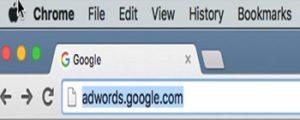
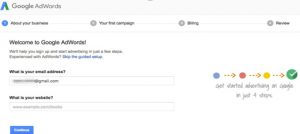
To start your campaign, go to https://adwords.google.com, find the ‘Get started now’ button, and sign up for an AdWords account. Once you are logged in, click the ‘Create your first campaign’ button. The detailed steps are given below:
- Sign in to your AdWords account.
2. Click Campaigns at the top of the screen.
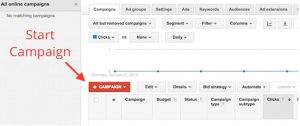
3. Click the ‘+Campaign’ and select “Display Network only.
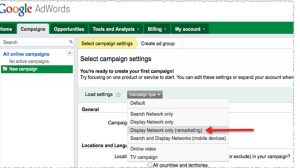
4. Click on “Buy on your website.”


 If you’re having trouble getting your local business website to show up in the Google local 3-pack or local search results in general, you’re not alone. The first page of Google’s search results seems to have gotten smaller over the years – the top and bottom of the page are often filled with ads, the local 7-pack was trimmed to a slim 3-pack, and online directories often take up the rest of page one. There is very little room for small local businesses to rank on the first page of Google.