27Jun

The Best trends in Digital Marketing that startups need to know


tgi-fb14 (1)

Big data :

The Big data can be useful to startups in various ways. Big data is mostly used by the professionals to get a better understanding of their target audience Big data is no longer absolute to data analysts. The use of big data can furnish t he marketers and startups with a detailed understanding of their target market. Until recently, big data was used to record things like climate information and cell phone GPS signals. With technology advancements, the B2B marketing and sales teams are now using big data to assemble more detailed information to their target audience’s wants and needs. On a larger scale, big data can be used to understand demand and supply trends in your own industry. Data recorded over decades can be collected and analyzed as a whole to observe patterns and trends. Not only the big data helps in analyzing their marketing strategies but can also give them a more accurate evaluation of their success rate.

Chatbots :

A chatbot is a computer program which conducts a communication through  auditory or textual methods. Chatbots are a kind of automated service which is basically a chat based interface that customers can interact with. It is integrated with artificial intelligence (AI) that helps to operate within the predefined set of rules. In the last year there was a critical rise in the use of artificial intelligence in marketing through the arrival of chatbots.  Already we are seeing a growth of brands using chatbots to improve the turnaround time and the customer service they contribute in their social media channels. Some companies are now using the chatbots to increase their response time to address the questions and queries from eventual leads. The more interesting thing about the chatbot is that,it can replace the gated contents and forms to generate the leads. That’s because the chatbots can respond within five minutes from the time that an inquiry is send.


16May

How to Create a Campaign in Google AdWords:

tgi1

A campaign is a set of related ad groups that is often used to organize categories of products or services that you offer. You’ll need to make at least one campaign before you can create ads in your account.

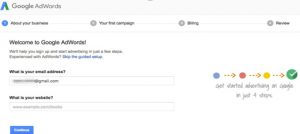
To start your campaign, go to https://adwords.google.com, find the ‘Get started now’ button, and sign up for an AdWords account. Once you are logged in, click the ‘Create your first campaign’ button. The detailed steps are given below:

  1. Sign in to your AdWords account.

Untitled-6

Untitled-8

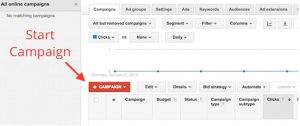
2. Click Campaigns at the top of the screen.

Untitled-9

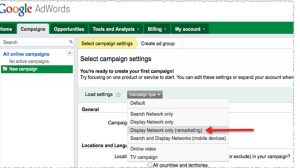
3. Click the ‘+Campaign’ and select “Display Network only.

Untitled-10

4. Click on “Buy on your website.”

14Mar

Search Engine Marketing Trends in 2018

The-Best-8-SEO-Trends-That-Will-Dominate-In-2018,search Engine

In Search engine marketing , few methods are been  quickly evolving as search engine optimization (SEO).

Data, Analytics, and Reporting

The success in search engine optimization (SEO) has always gone to those businesses and their agencies who have the best data driven processes and people to give attention to the detail needed to compete.

21Feb

DOES CONTENT MATTERS IN OUR WEBSITE?

Importance of Content in Our Website

Today, nearly every online marketer knows that content is king. Regardless of how pretty and well organized your website or blog is, none of it matters if you don’t have the content to back it up. Your website content can make or break a business deal. You can draw viewers in or push them away with a single sentence, which is why it’s important to do your best to make an impact on your viewers within the first few seconds they stumble upon your page.

Content-image

Content has become a “must” in the digital sphere. Not only does it drive people to your site, but it provides a lot of value. But what qualifies content as GOOD content on your website? Well, it doesn’t just mean content that’s well-written and free of spelling and grammatical errors. It means content that is:


  • Accurate and interesting
  • Fresh and regularly updated
  • Optimized with strategic keywords
  • Relevant to your target audience
24Oct

DOES CONTENT MATTERS IN OUR WEBSITE?

DOES CONTENT MATTERS IN OUR WEBSITE?

Today, nearly every online marketer knows that content is king. Regardless of how pretty and well organized your website or blog is, none of it matters if you don’t have the content to back it up. Your website content can make or break a business deal. You can draw viewers in or push them away with a single sentence, which is why it’s important to do your best to make an impact on your viewers within the first few seconds they stumble upon your page.

images1

Content has become a “must” in the digital sphere. Not only does it drive people to your site, but it provides a lot of value. But what qualifies content as GOOD content on your website? Well, it doesn’t just mean content that’s well-written and free of spelling and grammatical errors. It means content that is:

08May

Guide to Create a WordPress Blog Post

create WordPress blog postWordPress is the most popular Content Management System. It is such a good tool to create a blog post and also landing pages. If you are an SEO expert or content writer you may come across with WordPress. Getting familiar with WordPress is a best move. On these days most people go for WordPress as their CMS choice because it is easy to use and maintain and also to customize.
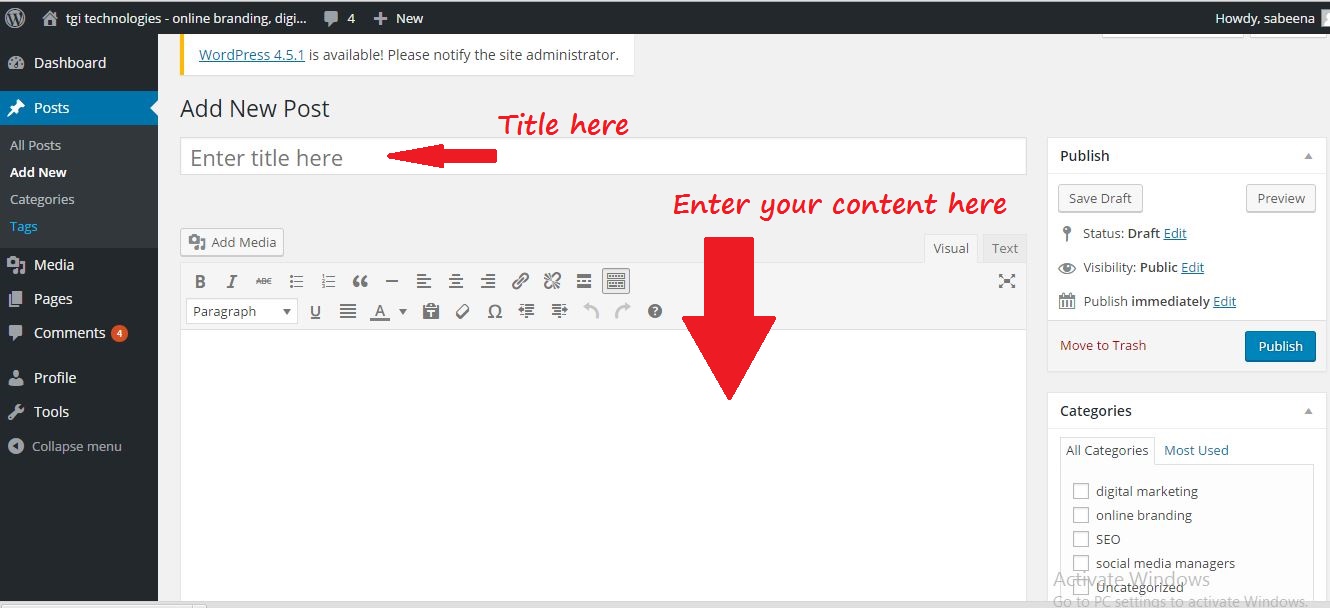
Here we first go with how to upload a WordPress blog post. Before optimizing a blog post, you should upload it and make it live.

Uploading Blog Post

1. After log in to your site you may enter to your dashboard. There you can see the “Post” option click on it and select “Add New”.

2. Now you enter into a page where you can start your blog post. Give a title to your post in “Enter  title here”.

3. Under that section you can start your blog. Content can be directly enter into the blog post and  publish it or make it as a draft if you are not ready to publish it. Some people write all the blog post separately in some programs(like word). Then copy paste the content once they are ready to publish.

enter content in wordpress post

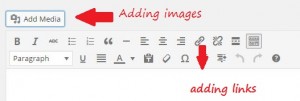
4. You can add links to your post. For this select the text you want to make it hyperlink. Then click on the symbol showing the link. A small window opens and there you can add the url. Then click add link. add links and images

5. Adding images in your post is also simple. If you have images, place your cursor where you want the image. Click on “Add Media” and select “Upload Files.” After choosing your preferred settings, click “insert into post” to add your image in your blog post. Sizing and aligning your image can be done by selecting your image.

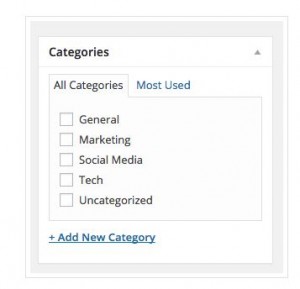
6. There is a “Categories” section on the right side of your screen. No need to categorize your post (unless your site is organized by categories), but you can add one if you wish. If you do so, WordPress will create category pages that pull in posts within that category.

categories in blog post

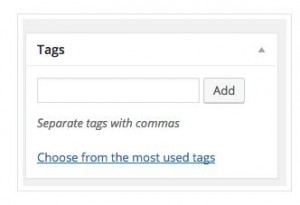
7. Under the “Categories” section, you’ll see the tags section.  You can add tags to your post here.

tags

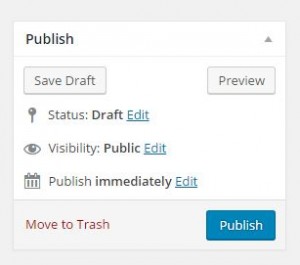
8. On the right side up there is a section called “Publish.” Here you can choose “Preview” to make sure everything looks right in your post before uploading it. If something doesn’t look the way you want,  just edit that section.

create blog post

Basic Optimization Tips

As an SEO you should focus on the blog post optimization. There are so many things you have to consider while go for optimization. Usually WordPress offers Plugins to optimize your post. In SEO perspective the best Plugin is Yoast SEO.

Yoast SEO is one of the popular Plugin available. In Yoast SEO you have the option to add SEO title, Meta description and also option to edit the post URL and so on. You can also share your post through this. I will share the detailed description about Yoast SEO in my next post.

Now we can go through some basic tips on optimization other than plugins.

  1. <h1> is the most important tag in your post. Usually people add more than one <h1> in their post.  In blog posts the title you entered will automatically work as <h1>. So make sure that your post has only one <h1>.
  2. Blog should be not less than 300 words.
  3. Title of your post should include main focusing keyword. Include 50- 60 characters in your post title.
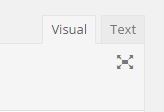
  4. Include Alt tags for your image. This tag describes what the image is about. Try to include keywords on this alt tag.  There are various ways to add alt tags for your image, but it all comes down with whether you are using the visual editor or the text editor. visual or text editorVisual: Click on the image you want to add alt text, and click on the “Edit” icon. Add your alt text in the “Alternative Text” field. Make sure to click on “Update” after.                           Text: Simply add the alt=“” snippet of code inside the image tag. For example :
    <img src="http://www.domain.com/images/1" alt="describe image">

If everything is complete you can publish your post. Sometimes you should find some mistake after publishing the post. If it happends just go to the edit section and clear out the problems and click on “update”.